Create your account
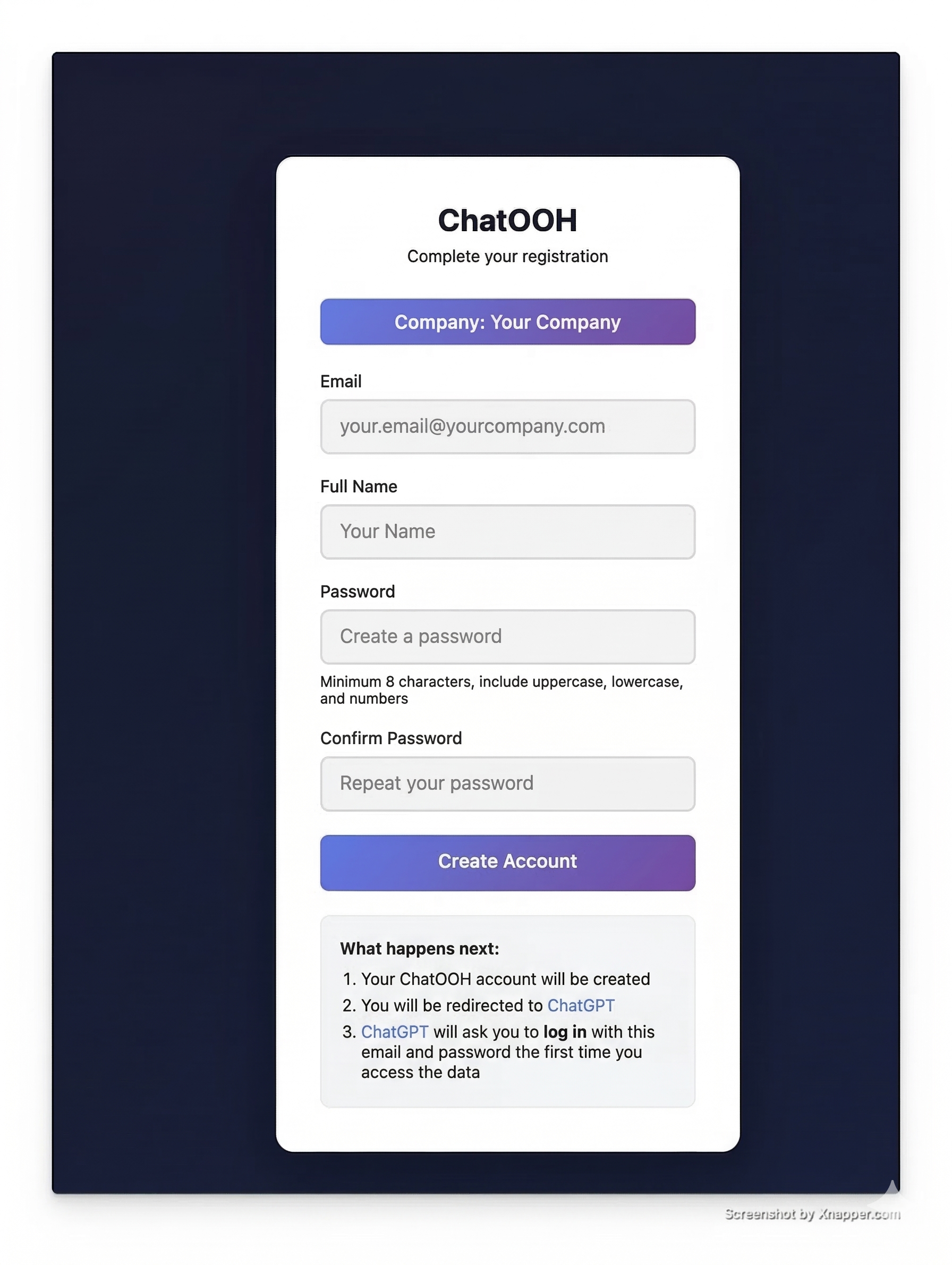
From the invitation email, fill in your name and password in the "Complete your registration" form and click "Create account".
Click "Sign in"
When the GPT shows this message, you must click the black button that says "Sign in with...". It's a clickable button!
To access your company's data, I need to connect to the ChatOOH API. Please click the button below to sign in:
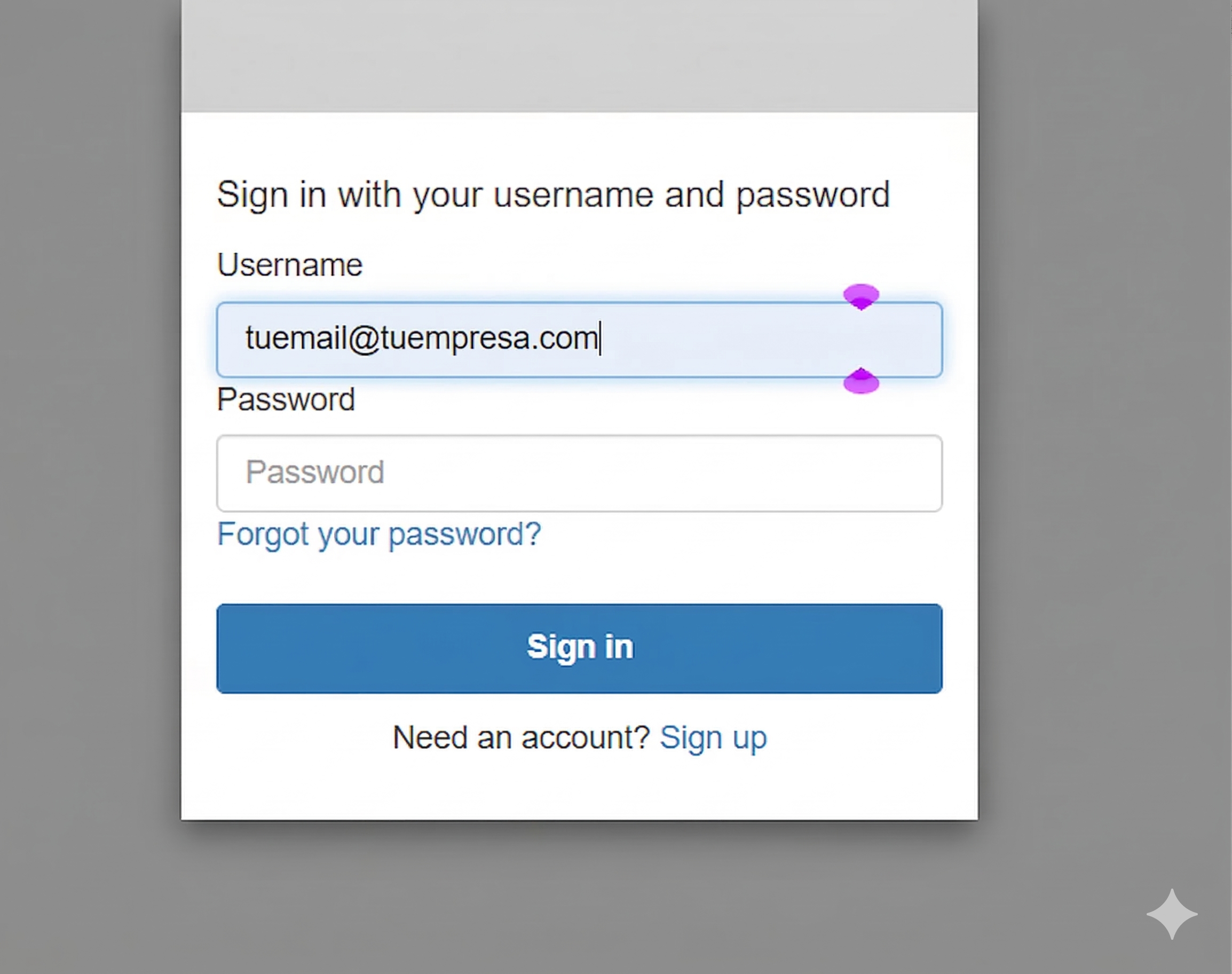
Enter your details
Use the same email from the invitation and the password you created in step 1. Click "Sign in".
Authorise the connection
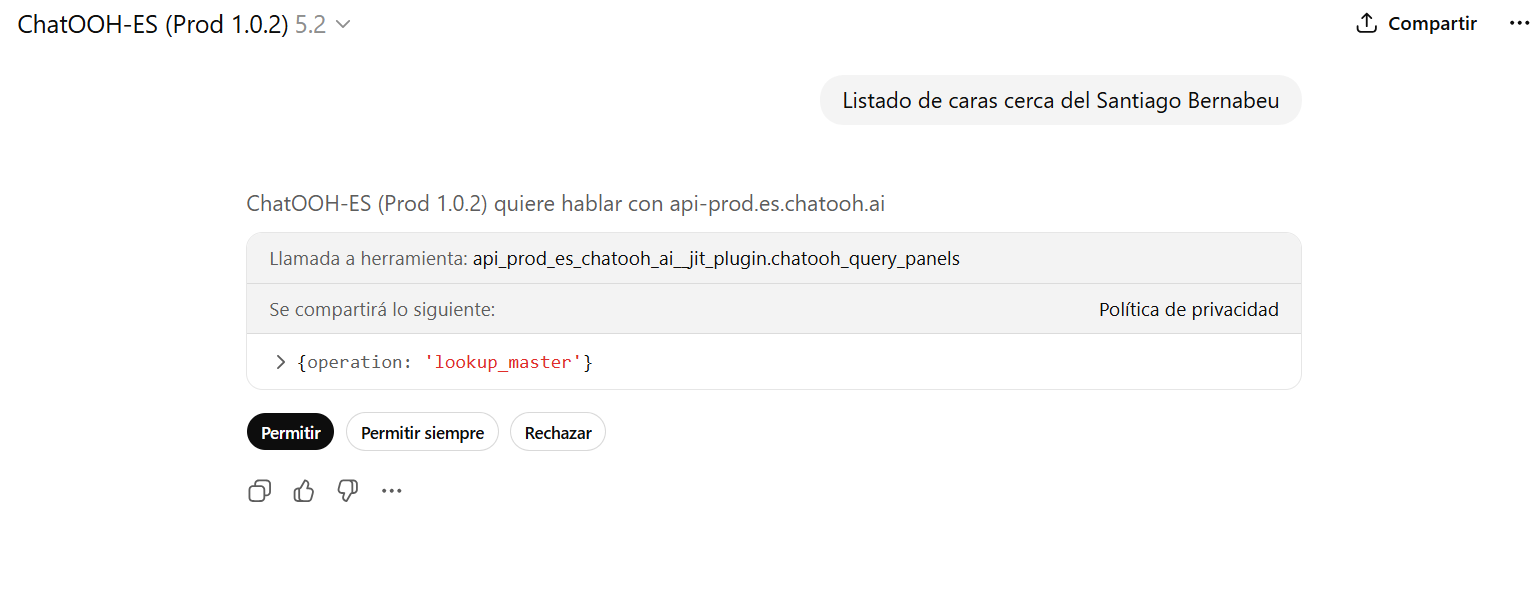
When ChatGPT shows the permission prompt, click "Allow" or "Always allow" to connect your account.
Common Issues
It asks me to log in again: Use the same email and password you created in step 1.
The Allow button doesn't appear: Send any message in ChatGPT and the permission prompt will show up.
The GPT won't connect or asks for authentication: Type "Connect to the ChatOOH API" and the GPT will start the connection.
I forgot my password: Use "Forgot your password?" on the login screen to recover it.